.png)


How to build automotive event calendars for community
- Chris Manski
- Apr 17
- 7 min read


TL;DR:
A well-organized event calendar boosts community engagement and attendance.
Consistent updates, clear details, and shared responsibility ensure calendar effectiveness.
Using suitable digital platforms and promoting a culture of maintenance leads to long-term success.
You’ve scrolled through three different Facebook groups, checked a forum post from six months ago, and still have no idea if that Saturday cruise night is still on. Sound familiar? Scattered, outdated, and incomplete event information is one of the biggest frustrations facing Australia’s automotive and water sports communities. A well-built event calendar changes all of that. This guide walks you through everything you need to know: gathering the right details, choosing the best platform, avoiding common mistakes, and keeping your community engaged long-term.
Table of Contents
Key Takeaways
Point | Details |
Centralised calendars boost turnout | A well-managed event calendar ensures members never miss key automotive events. |
Consistent details are critical | Standardising event information prevents confusion and makes participation easier. |
Platform choice matters | Digital tools with sharing and notification features are best for automotive communities. |
Maintenance ensures value | Assign responsibility and review your calendar regularly for ongoing success. |
Understanding the value of an automotive event calendar
Before you start building, it’s important to understand the need and impact of having an organised calendar. The automotive and water sports community thrives on real-world connection. Car meets, jetski meetups, cruises, rallies, and workshops are the lifeblood of enthusiast culture. But when event information is fragmented across different platforms, attendance drops, momentum stalls, and members lose interest.
Think about it this way: if someone has to visit four different places just to find out when the next show-and-shine is happening, many of them simply won’t bother. Car club organisation becomes dramatically easier when there’s a single, trusted source of truth for upcoming events.
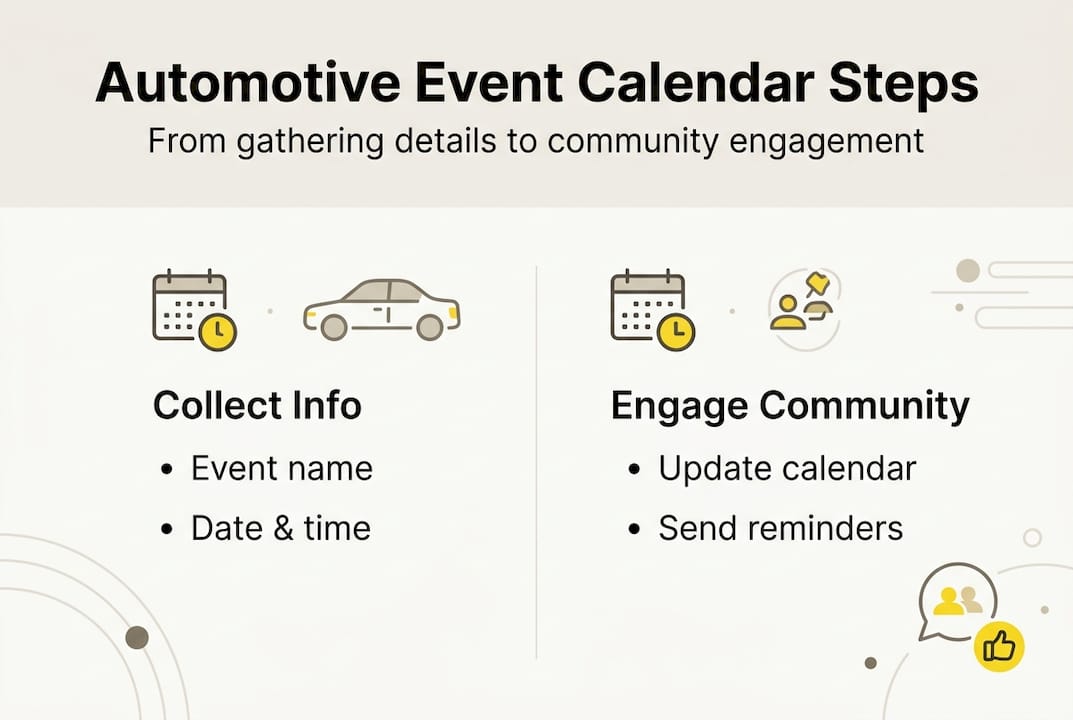
The benefits of a shared, accessible calendar are measurable. Community growth benefits show that central event calendars increase participation by ensuring members are informed. When people know about events in advance, they plan around them. They show up. They bring friends.
Here’s a quick overview of the event types your calendar should capture:
Car meets and cruise nights: Casual, social gatherings for all makes and models
Rallies and time trials: Competitive events requiring advance registration
Exhibitions and show-and-shine events: Display-focused events for modified and classic vehicles
Workshops and tech days: Educational sessions on maintenance and modification
Water sports meetups: Jetski runs, boat cruises, and paddleboard group outings
Charity and community rides: Motorcycle and vehicle events tied to fundraising
Did you know? Clubs that maintain a regularly updated, centralised event calendar consistently report stronger member retention and higher per-event turnout than those relying on informal announcements.
The ripple effects go beyond attendance numbers. A well-maintained calendar signals that your club or community is professional, active, and worth joining. New members searching online for local events are far more likely to commit when they find a clear, current, and detailed programme of activities. That first impression matters enormously.
Gathering event details and requirements
Now that we understand the calendar’s importance, the next step is collecting all the necessary event information. The quality of your calendar is only as good as the data inside it. Missing a start time or listing the wrong location can derail an entire event’s attendance.
Every listing should include these core details:
Event name and type (e.g., Monthly Cruise Night, Tech Day)
Date and start time, plus expected finish time
Location with full address and a maps link
Organiser name and contact details
Cost or entry fee, including whether pre-registration is required
Special requirements such as vehicle class, age restrictions, or equipment
Event information accuracy directly boosts event visibility and attendance, which is why standardising what you collect matters so much.
Here’s an example layout to help structure your entries:
Field | Example entry |
Event name | Sunday Shore Cruise |
Date and time | 15 June 2026, 8:00am |
Location | Cronulla Beach Car Park, NSW |
Event type | Cruise and meetup |
Organiser contact | |
Cost | Free, registration required |
Special notes | All vehicles welcome, BYO chair |
Sourcing accurate information takes a bit of legwork at first. Check club newsletters, official social media pages, and event registration websites. For auto community event organisation, cross-referencing multiple sources before publishing significantly reduces errors.
Pro Tip: Create a simple submission form using Google Forms or a similar tool. Ask organisers to fill it in with all required fields before their event goes live on the calendar. This removes guesswork, speeds up the process, and keeps every listing consistent.
Once you establish a template, maintaining it becomes routine. You’ll spend less time chasing down details and more time promoting events to the community.
Choosing and setting up your calendar platform
With your event information ready, the next consideration is which calendar platform will best serve your group. The right choice depends on your community’s size, technical comfort level, and how you primarily communicate.

Shared calendar apps are preferred for their ease of sharing and updating, making digital tools the clear choice for active communities. Here’s a quick comparison of the most popular options:
Platform | Pros | Cons |
Google Calendar | Free, easy sharing, notifications | Less visual, basic layout |
Facebook Events | Large reach, RSVP tracking | Algorithm-dependent, noisy feed |
Outlook Calendar | Good for club email integration | Less social, limited discovery |
AutoSocial | Built for enthusiasts, niche focus | Newer platform, growing user base |
Once you’ve chosen a platform, follow these steps to get set up:
Create a dedicated calendar under your club or group name, separate from personal use
Add co-admins or team members who will help manage and update listings
Set permissions so members can view events but only authorised users can edit
Import or manually add your first round of events using your standardised template
Share the calendar link across all your club’s communication channels: email, group chat, and social media
Pro Tip: Enable automated notifications and reminders on your chosen platform. A reminder sent 48 hours before an event can lift attendance noticeably. Many platforms allow you to set recurring reminders so you don’t have to do it manually each time.
The initial setup takes an hour or two. The payoff is months of smoother event management and a community that actually shows up.
Avoiding common mistakes and keeping your calendar effective
Choosing a platform is just the foundation. Proper maintenance keeps your calendar valuable and your community trusting it.
The most common reason event calendars fail is simple neglect. Events get cancelled and the calendar isn’t updated. New events are added inconsistently. Members check it once, find stale information, and never return. Once that trust is lost, it’s hard to rebuild.
Here are the most effective maintenance strategies:
Schedule a weekly review to check for outdated, cancelled, or newly added events
Encourage organisers to submit changes at least 72 hours in advance
Send a monthly community update summarising upcoming events from the calendar
Archive past events rather than deleting them, so members can reference what’s happened
Invite feedback through a simple form or group chat pinned message
“Regular calendar updates and community feedback are essential for long-term success.” Clubs that treat calendar maintenance as a shared responsibility, not a solo task, consistently outperform those where one person holds all the information.
Community involvement is genuinely powerful here. When members feel they have a role in keeping the calendar accurate, they become advocates for it. Ask your most active members to flag errors or suggest events. Event scheduling tips consistently point to community ownership as a key driver of calendar longevity.
The goal is to make your calendar the first place people look when planning their weekends, not an afterthought they stumble across by accident.
Why most event calendars fail and how you can succeed
Here’s an uncomfortable reality: even well-built calendars often go quiet within three months of launch. It’s not the platform’s fault. It’s not even the content. It’s the absence of clear ownership.
Most clubs launch a calendar with great energy, then slowly let it drift when the initial enthusiasm fades. One person was responsible, life got busy, and suddenly the calendar is two months out of date. Members notice. They stop trusting it. The cycle repeats.
The real fix isn’t a better tool. It’s building a calendar culture. That means assigning a dedicated calendar champion, someone who genuinely cares about keeping it current. It means rotating the update duties quarterly so no single person burns out. It means making calendar updates as routine as posting race results or sharing a lap time.
Imagine a mid-sized car club in Queensland that struggled with attendance for over a year. Their events were good, but nobody knew about them in time. They appointed a member specifically for organising automotive events, gave them tools and a simple process, and within two months their attendance at monthly meets nearly doubled. The events hadn’t changed. The calendar culture had.
You don’t need a perfect system on day one. You need someone who cares, a simple process they’ll actually follow, and a community that’s been invited into the routine.
Take your automotive events to the next level
With practical strategies in hand, here’s how you can take the next step and boost your calendar’s reach.
Building a solid event calendar is a great start, but connecting it to a community that’s already looking for exactly what you offer is even better. AutoSocial is built specifically for automotive and water sports enthusiasts who want to discover local events, join group activities, and connect with people who share their passion.
Whether you’re organising a cruise night, a jetski run, or a track day, AutoSocial for event organisers gives you the tools to list your event, reach the right audience, and build the community your passion deserves. Join a platform designed from the ground up for enthusiasts like you.
Frequently asked questions
What are the best platforms for automotive event calendars in Australia?
Google Calendar, Facebook Events, and dedicated club software are popular for their sharing and notification features. Shared calendar apps are widely preferred for ease of updating and broad accessibility across devices.
How do I keep my event calendar up to date?
Schedule regular weekly reviews, encourage organiser feedback, and assign a specific team member responsibility for updates. Event scheduling tips highlight that shared ownership is the most reliable long-term strategy.
What details should every event listing include?
Every listing needs the event date, time, location, type, organiser contact, cost, and registration instructions. Event information accuracy is directly linked to stronger visibility and higher attendance rates.
Recommended


Comments