.png)


Streamline event organisation for automotive and water sports

TL;DR:
Automating event processes reduces admin time and improves community engagement.
Choosing integrated, purpose-built tools enhances organization scalability and member experience.
Streamlining allows organizers to focus on building genuine connections, not just logistics.
Running a car meet or jetski meetup sounds straightforward until you’re buried under a mountain of unanswered RSVPs, clashing schedules, and frantic messages scattered across three different group chats. For many automotive and water sports event organisers, the admin load quietly becomes the biggest barrier to hosting great events consistently. This guide walks you through a practical, step-by-step approach to diagnosing your current process, choosing the right tools, automating the heavy lifting, and scaling your events with confidence so you can spend less time on spreadsheets and more time building the community you love.
Table of Contents
Key Takeaways
Point | Details |
Diagnose admin pain points | Identify which manual processes cost you the most time and hassle before seeking solutions. |
Select scalable event tools | Choose event management platforms that fit today’s needs and can grow with your club or community. |
Automate for efficiency | Leveraging automation for RSVPs and scheduling drastically reduces workload and no-shows. |
Measure and improve | Track key event results and use that data to make each meetup more efficient and successful. |
Balance tech with community | Streamlining gives you more time to connect with members, not just save time on admin. |
Assessing your current process and needs
Before you can fix what’s broken, you need to know exactly where things are going wrong. Most organisers don’t realise how many disconnected tools they’re running simultaneously until they sit down and write them all out. Start by listing every platform, app, spreadsheet, and communication channel involved in your last event. You might be surprised how long that list gets.
Common tools in a typical organiser’s stack include:
Facebook groups or Messenger threads for announcements
WhatsApp or Telegram for last-minute coordination
Google Sheets or Excel spreadsheets for RSVP tracking
Instagram or TikTok for promotion
Email newsletters for formal updates
Notes apps or paper lists for day-of logistics
When these tools don’t talk to each other, every update becomes a manual job. You change a venue and suddenly you’re copying that information into five different places, hoping nobody misses it. Recurring headaches like chasing RSVPs, managing last-minute cancellations, dealing with scheduling conflicts, and sending reminders manually eat hours that should go toward making the event itself better.
To get a clear picture, map out your current process using a table like this one:
Process step | Tool currently used | Estimated time per event | Pain point |
Creating the event | Facebook or Word doc | 45 minutes | Inconsistent formatting |
Sending invitations | Group chat or email | 30 minutes | Low open rates |
Tracking RSVPs | Manual spreadsheet | 1 to 2 hours | Outdated information |
Sending reminders | Manual messages | 45 minutes | Often forgotten |
Confirming attendance | Phone calls or DMs | 1 hour | Time consuming |
Post-event follow-up | Ad hoc emails | 30 minutes | Rarely done |
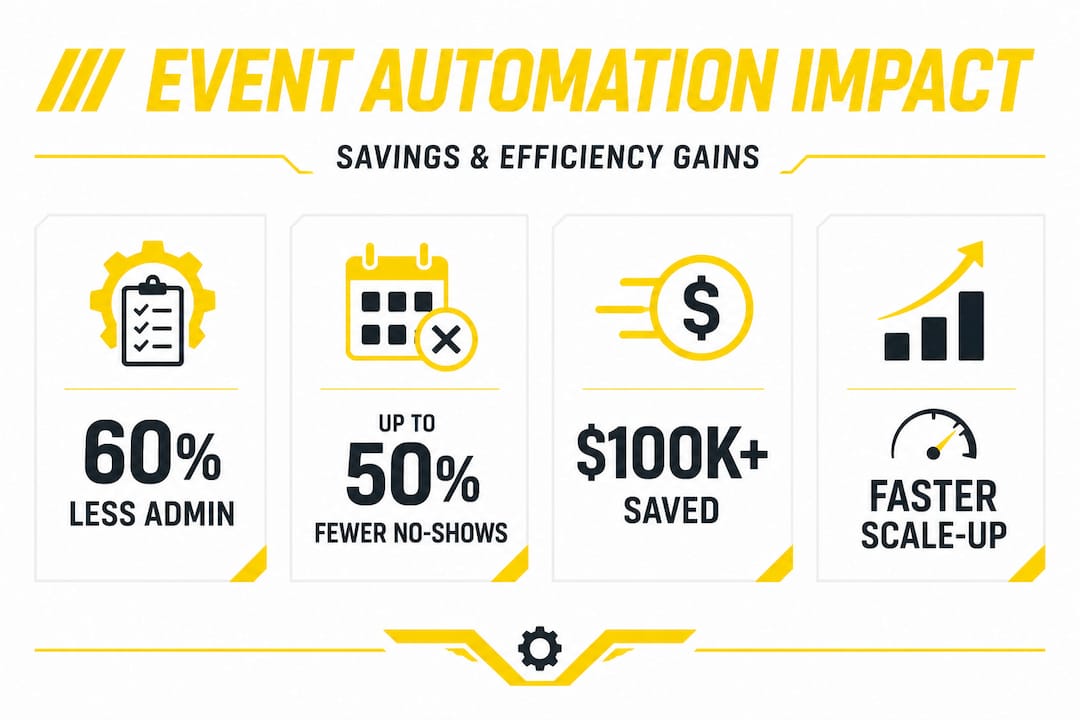
Once you see it laid out like this, the inefficiencies become impossible to ignore. Tech stacks reduce admin by 60% when integrated platforms replace fragmented processes, which is a gain that adds up significantly across a full season of events.
The key insight here is that even if you’re already using digital tools, digital doesn’t automatically mean efficient. Two separate apps that don’t integrate create just as much friction as pen and paper. The goal is not more tools. It’s better-connected tools. Before moving forward, review the event planning steps specific to automotive and water sports to make sure nothing critical is being overlooked in your current workflow.
Pro Tip: Even if your events run “fine,” mapping your process step by step often reveals 30 to 60 minutes of hidden admin waste per event that you’ve simply normalised over time.
Choosing the right tools for your event
With your pain points clearly mapped, the next step is evaluating which tools will actually solve them. This is where many organisers make a costly mistake: choosing a tool based on what a friend recommended or what was cheapest, rather than what genuinely fits their community’s needs.
There are four key criteria to evaluate any tool against:
Ease of use: Will your volunteers and co-organisers actually adopt it without needing a training course?
Integration: Does it connect with your existing channels, such as email lists or social platforms?
Communication features: Can it handle group messaging, announcements, and direct member updates in one place?
Automation: Can it send reminders, confirmations, and follow-ups without manual input each time?
Here’s how common options stack up against each other:
Tool type | Best for | Limitations |
Spreadsheets (Google Sheets) | Simple tracking | No automation, easy to break |
Group chats (WhatsApp, Telegram) | Quick communication | Poor for RSVP tracking or history |
TeamSnap | Sports scheduling and rosters | Limited at scale, not niche-specific |
Pipedrive | Larger clubs needing CRM growth | Not built for event-specific workflows |
Niche event platforms | Enthusiast community events | Varies widely in features |
Niche CRMs like TeamSnap are excellent for tight-knit sports scheduling but can become limiting as your club or event series grows in complexity. Broader platforms like Pipedrive scale better but require more setup and don’t always speak the language of a Saturday morning cruise night or a jetski rally. The sweet spot is a platform purpose-built for automotive and water sports communities that combines communication, event creation, RSVP management, and community profiles in a single place.
The most helpful features for organisers in this space are:
Automated RSVP tracking with real-time attendance counts
Scheduled reminder messages sent to registered attendees
Public and private event creation with customisable visibility
Group communication tools tied directly to specific events
Community profiles that let members showcase their vehicles or watercraft
Event discovery tools that help new members find your meetups organically
Exploring dedicated car event planning tools alongside purpose-built event calendar platforms gives you a clearer picture of what’s available before you commit to anything.
Pro Tip: Don’t just choose the platform that works for your current 50-member club. Ask whether it can handle 300 members without requiring a completely different setup. Migrating tools mid-season is painful and costly.
Streamlining planning, invites, and promotion step by step
With your tools selected, it’s time to build a repeatable workflow. The beauty of a well-designed workflow is that it removes the need to reinvent the process every time you run an event. You set it up once, refine it after each event, and it gets faster and more effective as you go.
Here’s a practical numbered workflow to follow:
Create the event listing in your chosen platform with full details: date, location, format, any entry requirements, and a compelling description that speaks to your community’s interests.
Set up RSVP tracking within the platform immediately, so attendance data starts collecting from the moment the event goes live.
Automate your invitation sequence to send a launch announcement, a one-week reminder, and a 24-hour reminder without manual input each time.
Publish to your community channels including social media, your event calendar, and any partner groups or clubs.
Monitor RSVPs in real time and let the platform handle follow-up nudges to those who haven’t responded.
Send a post-event message thanking attendees and teasing the next event to maintain momentum.
The impact of automation on these steps is significant. AI tools cut setup time by 70% and reduce no-shows by up to 50% through automated RSVP management and reminder sequences. That’s the difference between spending a full weekend on logistics versus a couple of hours.
“Always review your automation templates before the first send. A template with a wrong date or incorrect venue can undermine trust with your community faster than any technical glitch.”
Automation also directly improves the attendee experience. When someone registers for your event and immediately receives a professional confirmation with event details, a map link, and a reminder schedule, that signals quality and organisation. It builds anticipation. Think about how you can use these tools to boost event engagement from the moment someone clicks “going.” Personalised messaging tied to the type of vehicle someone drives or the water sport they’re into can also dramatically increase response rates. A reminder that says “Hey, see you Sunday at the car meet” lands very differently from a generic event notification, and personalised event engagement consistently outperforms mass messaging across virtually every measurable metric.
Tracking, refining, and scaling your events
Running a great event is one thing. Building a system that produces great events consistently is something else entirely. That’s where tracking and structured improvement make the real difference. After every event, you should be capturing data that informs the next one.
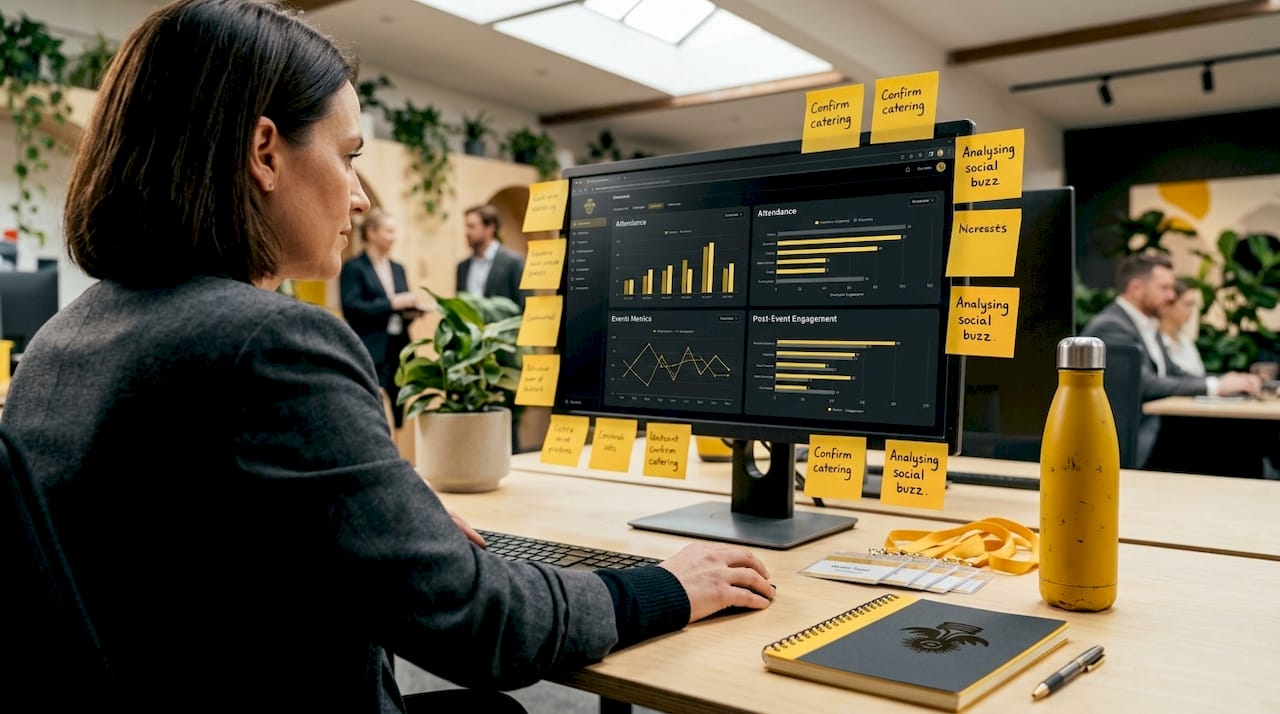
Set up a simple tracking table like this after each event:
Event name | Date | Attendance | Cost | Time spent on admin | Engagement post-event |
Sunday cruise night | March 2026 | 42 of 55 registered | $180 | 6 hours | 38 post-event messages |
Jetski rally | April 2026 | 31 of 40 registered | $220 | 4.5 hours | 27 post-event messages |
Over time, this data becomes extraordinarily valuable. You’ll see which event formats draw the best attendance, which days of the week work best for your community, and where your admin time is still bloated. You’ll also notice when your no-show rate increases, which often signals that your reminder cadence needs adjusting or that a particular event format is losing its appeal.
The metrics that matter most for clubs and local events include:
RSVP to attendance ratio: A large gap here suggests your reminders aren’t effective or the event isn’t compelling enough at registration time.
Cost per attendee: This helps you evaluate whether your event format is sustainable or whether sponsorships would make it more viable.
Time spent on admin per event: This is your efficiency benchmark. If it’s not dropping over time as you automate more, something in your workflow needs revisiting.
Post-event engagement: Likes, messages, and shares after an event tell you whether people left excited enough to talk about it.
New member growth tied to events: Track whether specific events bring in new members to your community.
Pro Tip: Hold a 15-minute debrief with your co-organisers within 48 hours of each event. Ask three questions: What worked well? What created friction? What should we try differently next time? Document the answers in a shared file so nothing gets lost.
The potential for real savings through structured automation is substantial. The Calgary Stampede saved over $100K annually and achieved a 25% year-on-year improvement in project completion by using automation tools like Smartsheet. While your club’s scale is different, the principle applies directly: consistent automation and structured tracking compound into major time and cost savings over a full event season.
To keep growing, use your tracking data to organise social events at a pace and format that your community can sustain enthusiastically. And as your event catalogue grows, a strong event discovery presence makes sure new members can find your events easily without you manually promoting every single one.
The real reason event streamlining works: automation meets community
Here’s a perspective that most guides won’t offer you: streamlining your events is not primarily about saving time. It’s about freeing up the mental and emotional bandwidth you need to actually connect with your community. That’s the real breakthrough.
Most articles on event management frame automation as a tool for efficiency. Get more done in less time. Reduce overhead. Minimise errors. All of that is true, but it misses the deeper point. When you’re not drowning in spreadsheet updates and unanswered messages, you can show up at your own event and actually be present. You can walk over to a newcomer who’s admiring someone’s build and make an introduction. You can notice when a longtime member seems disengaged and check in with them. These moments are what turn a regular meetup into a community that people genuinely feel they belong to.
Clubs and event series that thrive over the long term don’t just work faster. They build stronger, more responsive communities because their organisers have the headspace to prioritise relationships. The technology takes care of the logistics. The human side takes care of the culture.
There’s also a counterintuitive truth here. Some organisers resist automation because they worry it will make their events feel impersonal or corporate. The reality is the opposite. When admin tasks are handled automatically and reliably, organisers invest that reclaimed time in things only a human can do: welcoming new members, creating event experiences that reflect the community’s specific culture, and responding thoughtfully when something goes wrong. Knowing how car events stand out from generic motor gatherings comes down to exactly this quality of personal touch layered on top of reliable organisation.
“Technology is an enabler, not a replacement for human touch. The best event organisers use automation to protect the time and energy they need to build genuine connections.”
Organise smart. Then show up fully.
Take your event organisation to the next level with AutoSocial
If this guide has shown you anything, it’s that the gap between a stressful event season and a smooth, energising one comes down to the tools and systems you’re working with. AutoSocial is built specifically for automotive and water sports communities who are ready to replace scattered group chats and manual spreadsheets with a platform that actually fits the way they operate.
With AutoSocial, you can create and promote events, manage RSVPs, communicate with your community, and grow your member base all from one place. Whether you’re running weekly cruise nights, monthly jetski meetups, or one-off themed car meets, AutoSocial’s event organiser tools align directly with the workflows outlined in this guide. Join the community of passionate organisers who are already running better events with less effort and more connection.
Frequently asked questions
What is the most effective way to reduce admin time when organising car or water sports events?
Implementing integrated platforms and automation can cut admin time by 60% compared to manual or disconnected methods, making integrated tools the single most impactful change you can make.
How can I decrease no-shows at my meetups?
Automated RSVP tracking and scheduled reminder messages typically reduce no-shows by up to 50%, especially when reminders are sent at the one-week and 24-hour marks before an event.
Should I choose a niche event platform or a general tool for my club?
Niche platforms like TeamSnap offer tailored scheduling features but may limit your growth, while broader platforms like Pipedrive scale more effectively as your community expands.
How do I track if streamlining is working for my events?
Use a simple dashboard to record attendance, cost, admin time, and post-event engagement after each meetup, then look for consistent improvement across your metrics over a season. The Calgary Stampede’s 25% improvement in project completion shows what structured tracking and automation can deliver at scale.
Recommended


Comments